题目内容
python 2.7操作文件的方法
题目答案
python 2.7操作文件的方法
下载Windows x86-64 MSI installer.exe安装包进行安装后使用python命令打开python命令行界面
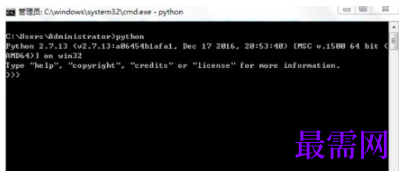
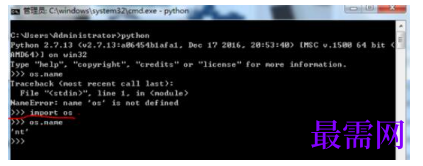
在命令行中导入os库,有了os库就可以使用python指令操作操作系统相关操作
导入命令:
>>>import os
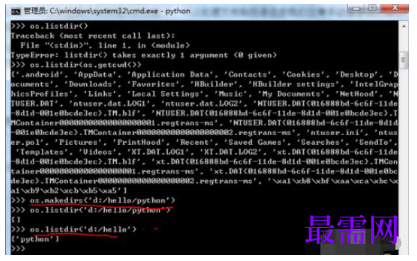
使用python的os指令创建目录
创建目录d:/hello/python
>>>os.makedirs('d:/hello/python')
显示目录
>>>os.listdir('d:/hello')
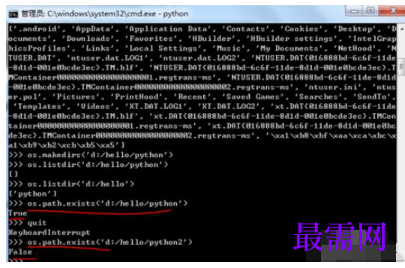
使用 os.path.exists判断文件夹是否存在
>>>os.path.exists('d:/hello/python')
返回True ,表示d:/hello/python文件夹存在
>>>os.path.exists('d:/hello/python2')
返回False ,表示d:/hello/python2文件夹不存在
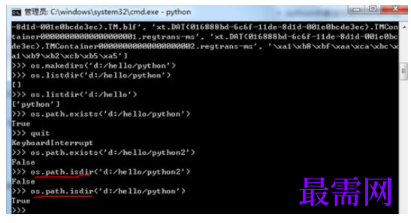
使用os.path.isdir判断是否为文件夹,如果返回True则表示文件夹存在
>>>os.path.isdir('d:/hello/python')
返回True ,表示d:/hello/python文件夹存在
>>>os.path.isdir('d:/hello/python2')
返回False ,表示d:/hello/python2文件夹不存在




点击加载更多评论>>